


Registering your product is easy! Here's how:
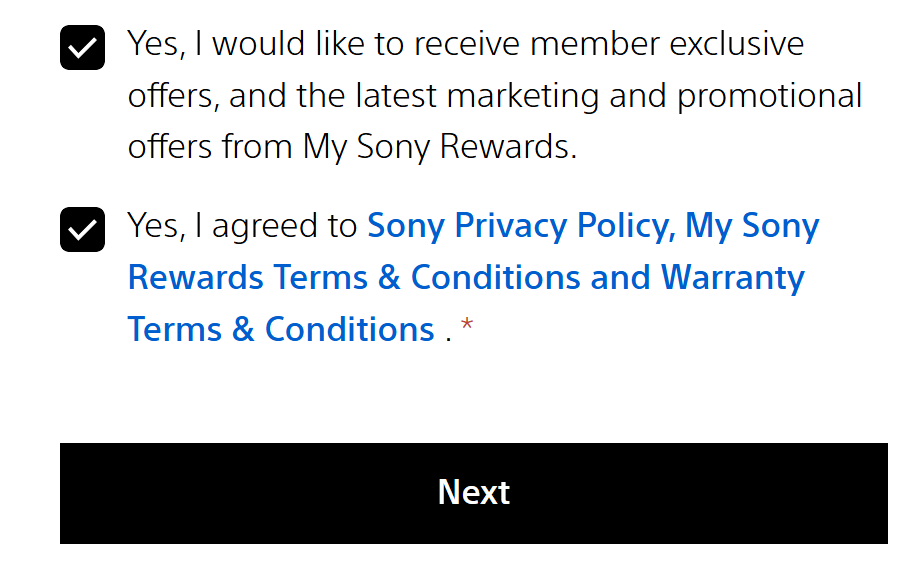
1. Go to My Sony Rewards and fill out the form with your information. Make sure to subscribe on our newsletter to get the latest updates, then click next:
2. On the 'Product Registration' tab, register by giving the following details.
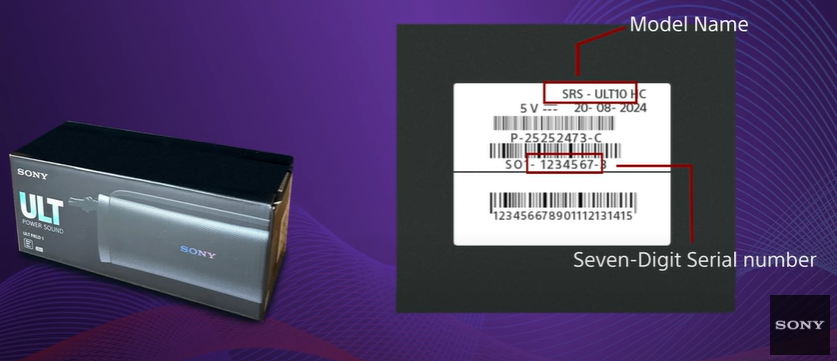
Serial Number: Consists of numbers only (e.g. 6007041). It's a unique identifier that designates a single device.
Model Name: Combination of letters and numbers (e.g.SRS-ULT900)
Date of Purchase: Date on your receipt
See sample image on how to find the Serial Number and Model Name:
3. Upload your receipt and click 'Submit'. And that's it! Wait for an email confirmation to officially enjoy your rewards.
The Loyalty reward points can be used on lifestyle vouchers. Log in to your My Sony Account to check the complete rewards catalog.
.png)