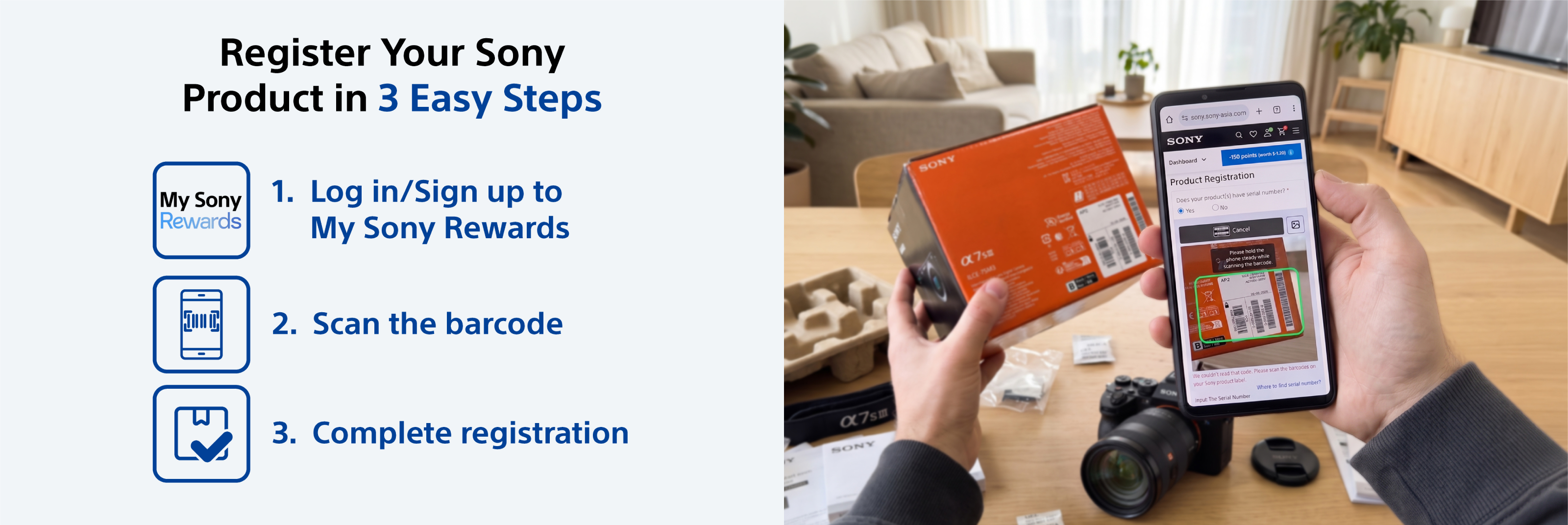



My Sony Rewards
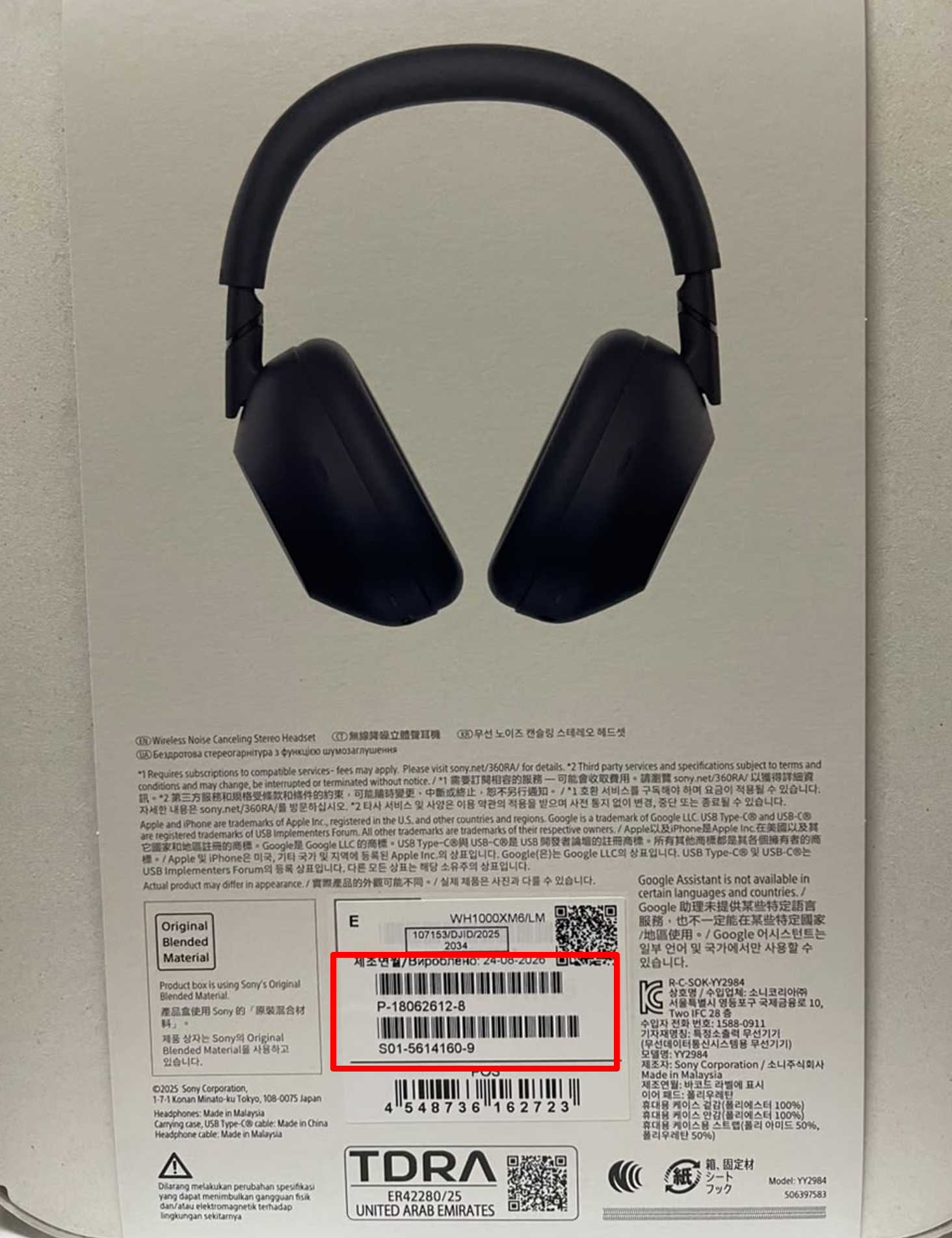
Simply scan the barcode on your product packaging box or upload an image of the barcode. Your product model name and serial number will be automatically populated.
Choose Your Preferred Registration Method
Option 1: Scan the Barcode

Use your device camera
Select Scan Barcode and allow camera access when prompted.
Point your camera at the barcode on your Sony product packaging box. Wait for it to be recognised.
Option 2: Upload an Image

Select an image from your device
Select Upload Image on the registration page and choose a clear photo of the barcode saved on your phone or computer.
Upload the image and wait for the barcode to be recognised.
Where to Find your Product Barcode
Select image to enlarge
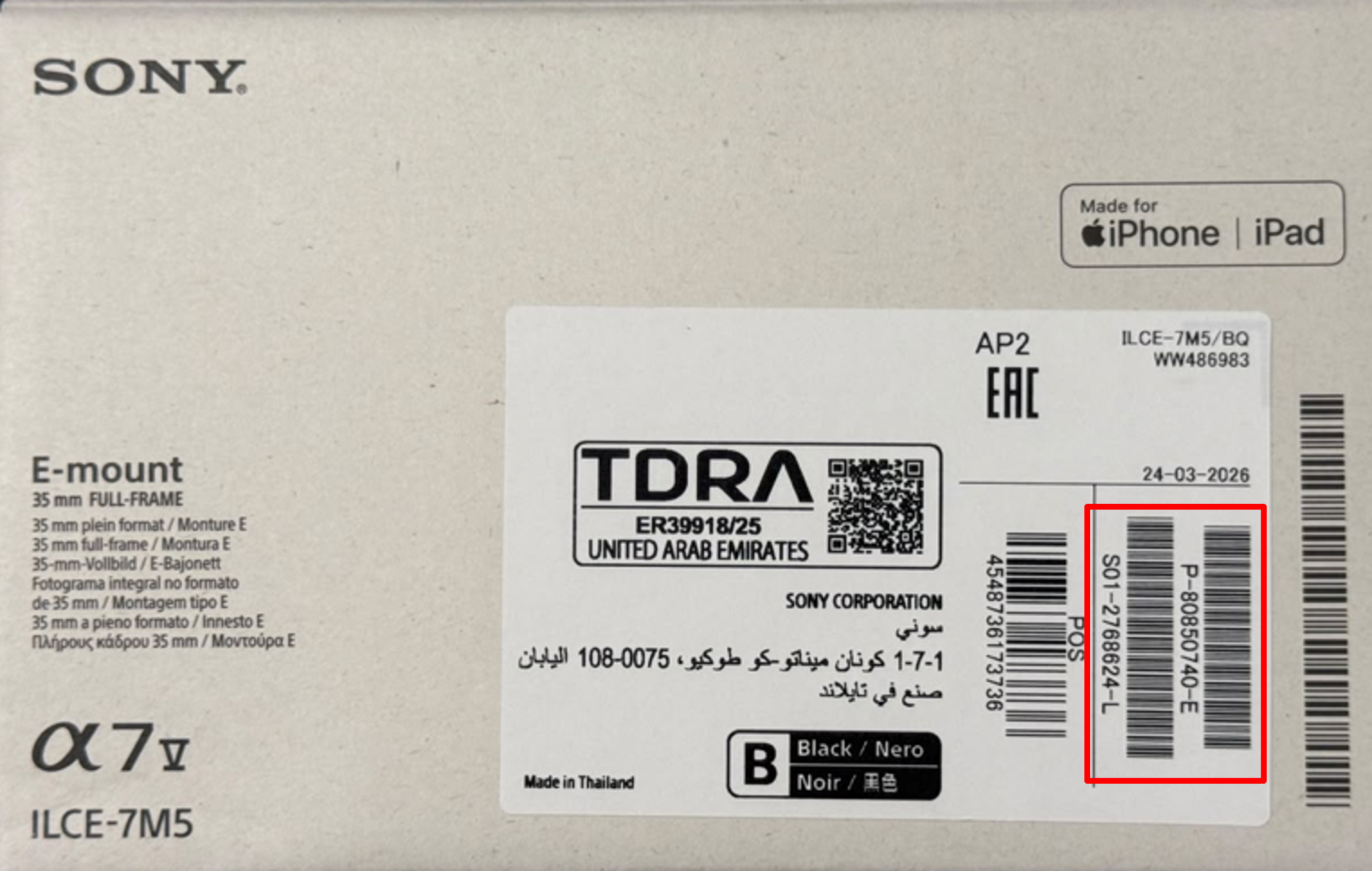
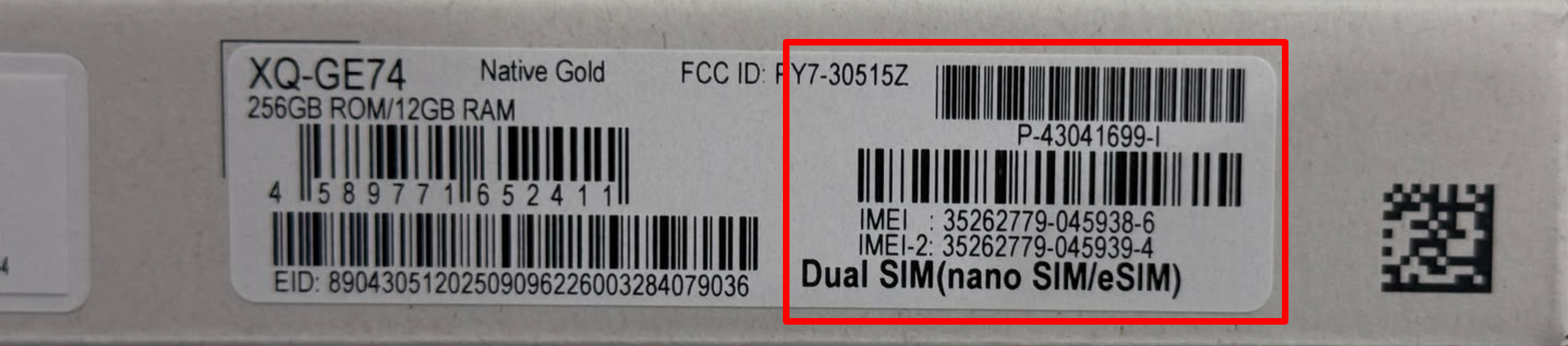
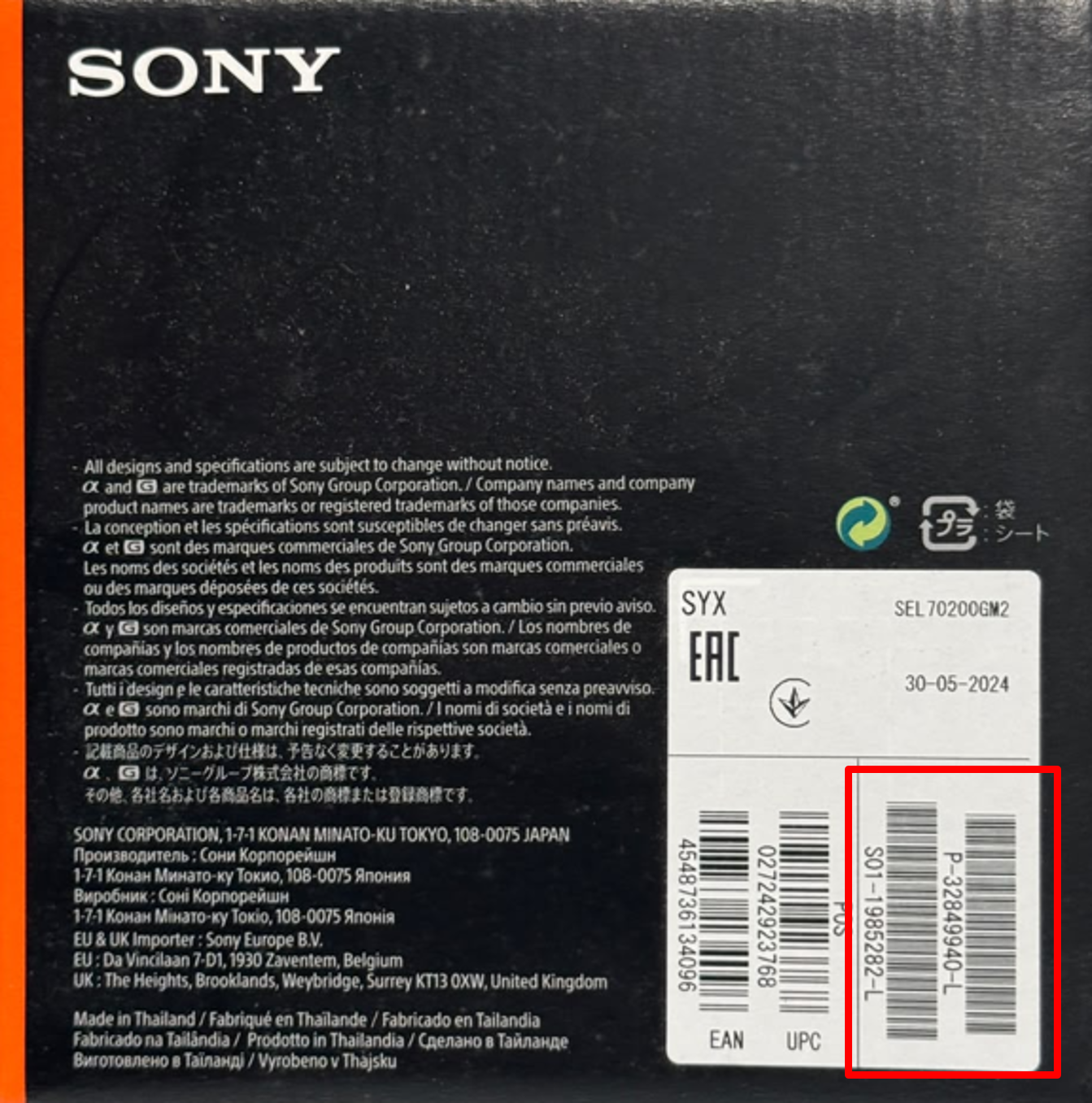
Products Featured